Pc Turns Fans Turns on for a Second Then Shutdown
willis_lai@idg.com Even experient PC builders sometimes give to take a moment to think over about which direction a fan is blowing. But A our TV shows, figuring it out ISN't hard at all.
Spend enough metre or so PC builders and PC building forums, and you'll learn pretty rapidly that the direction of a case or CPU ice chest winnow matters. When a winnow's positioned for consumption, the intent is to pull in caller air. But when a fan is set as an exhaust fan, the idea is to expel warm air travel away from the causa operating room tank. Both options are useful depending on where the fan resides in the build.
So how do you distinguish at a glimpse which way the lover is blowing, especially when even seasoned PC builders sometimes have to take a moment to think about it? Information technology's jolly simple, even if your fan's maker doesn't arrive explicitly free.
Look for the arrow
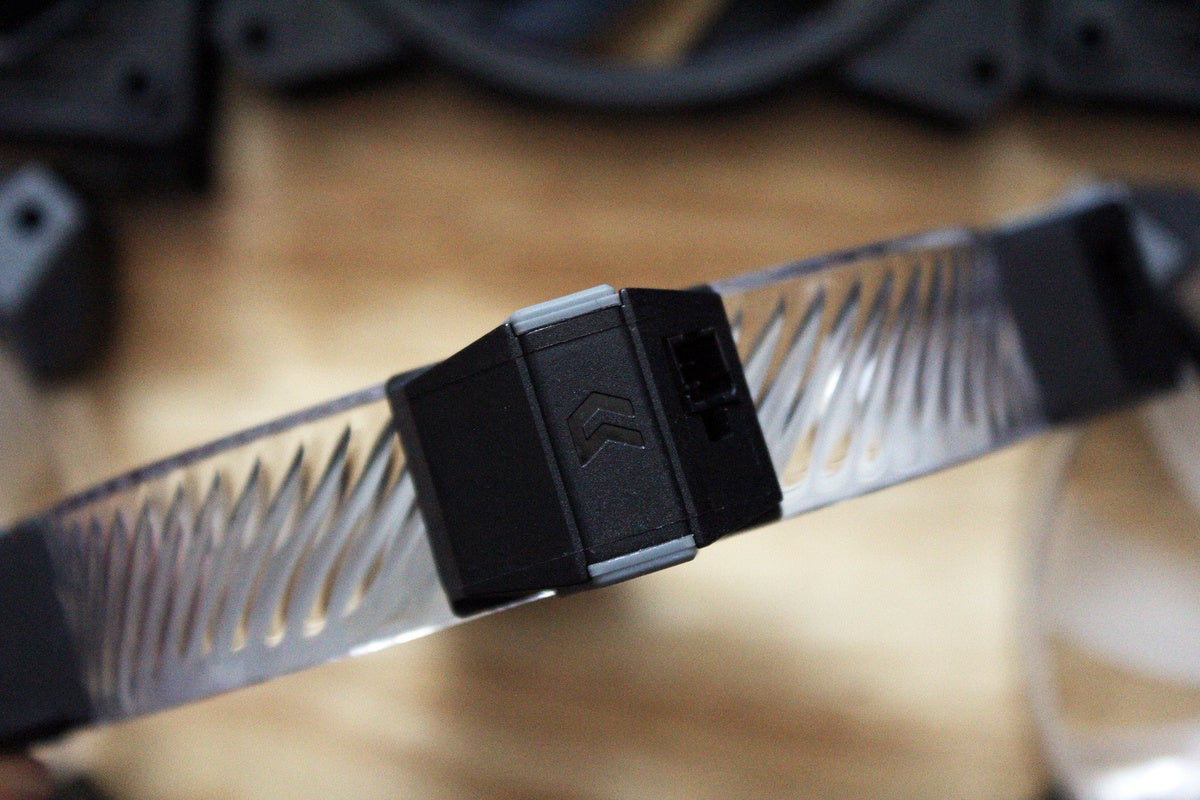 Alaina Yee / IDG
Some case fans (just non all) take in an arrow showing the direction of airflow.
Some fans have a small arrow along the casing that indicate the direction of flow of air. Whichever way the arrow points, that's the side that air will blow from.
(Yep, IT's that easy.)
View the fan blades
Non all fans have an pointer—operating theater perhaps you're stressful to evaluate a fan that's installed in a suit or on a CPU cooler and you don't want to unmount it to look for an arrow. Fortunately, you don't need the arrow to tell off you the direction of air flow. Instead, simply look at the fan blades.
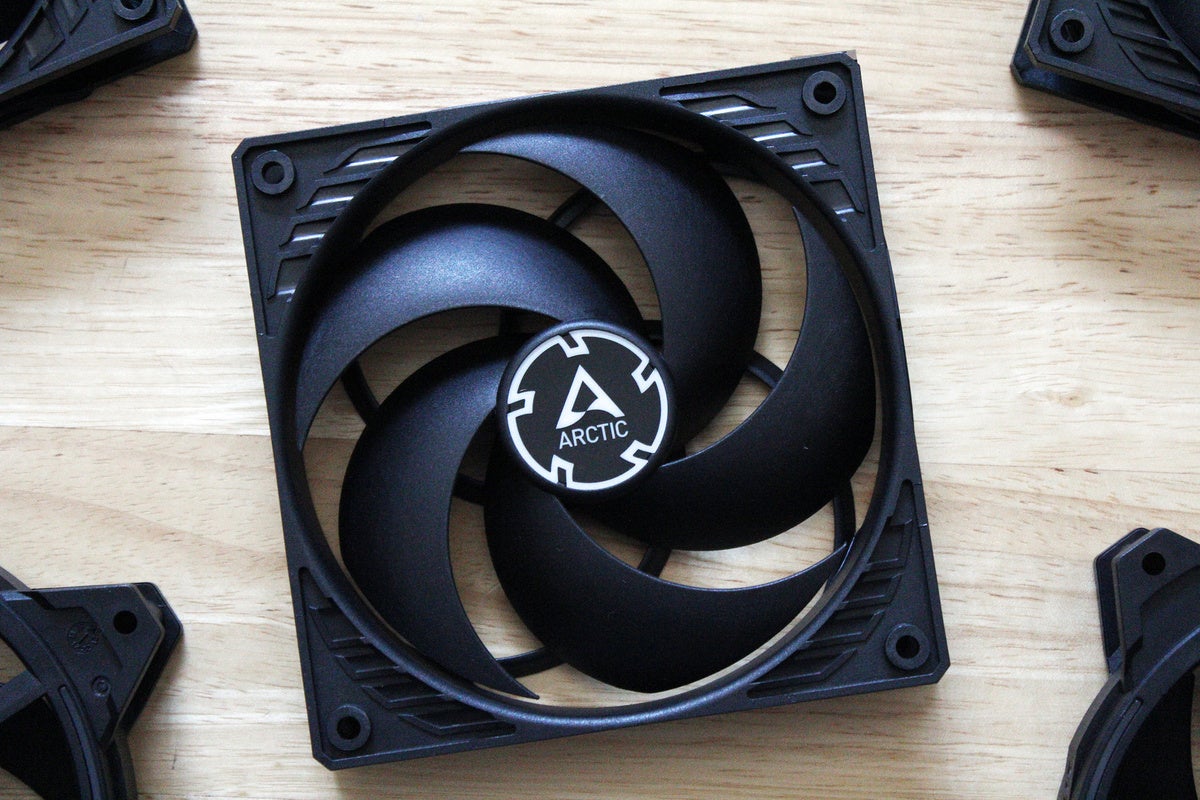 Alaina Yee / IDG
Blades curving inaccurate from you? That's the intake side.
If the devotee blades look rounded—that is, they're sinusoidal away from you—that's the intake side. (For the more technical out in that respect: The convex broadside of the fan blades is the intake lateral.)
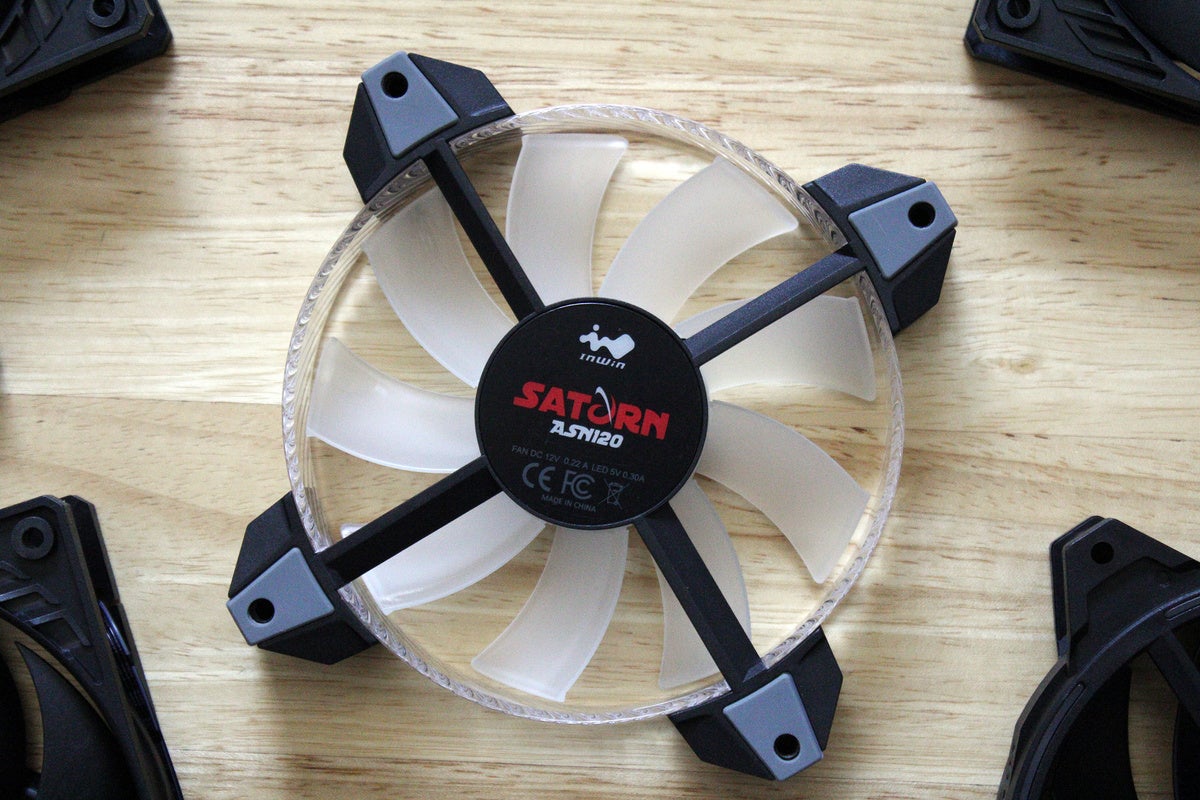 Alaina Yee / IDG
Fan blades arching toward you? That's the use up side.
If the sports fan blades look like the inside of a dish or bowl—that is, they're curved toward you—that's the consume side. (Put differently, the concave side is where air exhausts.) Oftentimes, the exhaust root also has the hachure supports for the fan's frame, with a circular poser in the center that lists brand and pose data.
If possible, memorizing the fan vane shapes is the best method acting to fix winnow direction—you can recount immediately which way the fan is blowing.
Why this matters
Arsenic touched on above, the direction of a fan matters for airflow. Enlightened the way IT points will determine the advisable places to mount it, especially for a case. It also helps ensure that you actually set up the correct airflow configuration for your purposes.
Most PCs role positive press to get enough cool air passing through the system, which means you need more fans set as ingestion than as exhaust. In select situations, a builder might instead prefer a negative pressure setup, where you'll need more fans shooting vent of the case than pull in. Both ensure that your machine isn't cookery in the hot air generated away its components. But if you aren't paying attention to the fans as you install them (or how the case came preconfigured), you could end up with a different configuration than intended. Read our guides on how to install fans and how to configure fans for positive or dissenting pressure setups to get on the instinct inside information along optimizing your PC's cooling.
Editor's note: This article was updated on 8/26/2021 to include tutorial video.
Note: When you buy something after clicking links in our articles, we may earn a small commission. Read our affiliate link policy for more inside information.
Alaina Yee is PCWorld's resident bargain hunter—when she's not natural covering PC building, figurer components, miniskirt-PCs, and Thomas More, she's scouring for the best tech deals. Previously her work has appeared in PC Gamer, IGN, Maximum PC, and Official Xbox Cartridge holder. You can bump her on Twitter at @morphingball.
Pc Turns Fans Turns on for a Second Then Shutdown
Source: https://www.pcworld.com/article/3619063/how-to-tell-which-way-your-fan-is-blowing.html

Publicar un comentario for "Pc Turns Fans Turns on for a Second Then Shutdown"